Platform overview with total organizations, users, active apps, recent activity feed, and system health indicators.
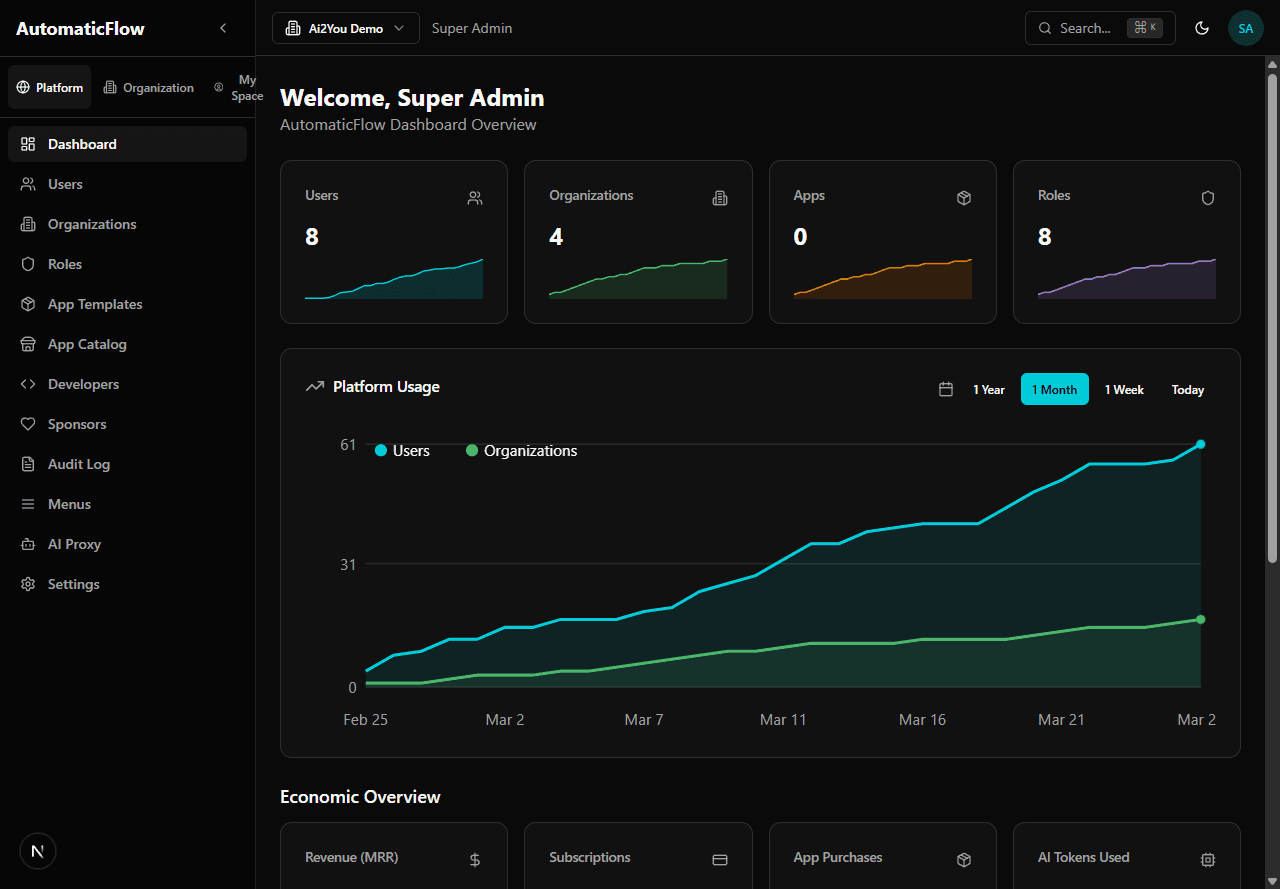
Platform dashboard — users, organizations, apps stats, usage charts
Manage all platform users across all organizations.
- List users: sortable table with name, email, role, organization, status
- Create user: add a new user to any organization with role assignment
- Edit user: modify user details, change organization or role
- Delete user: remove user (confirmation required)
- Search by name or email, filter by organization/role/status
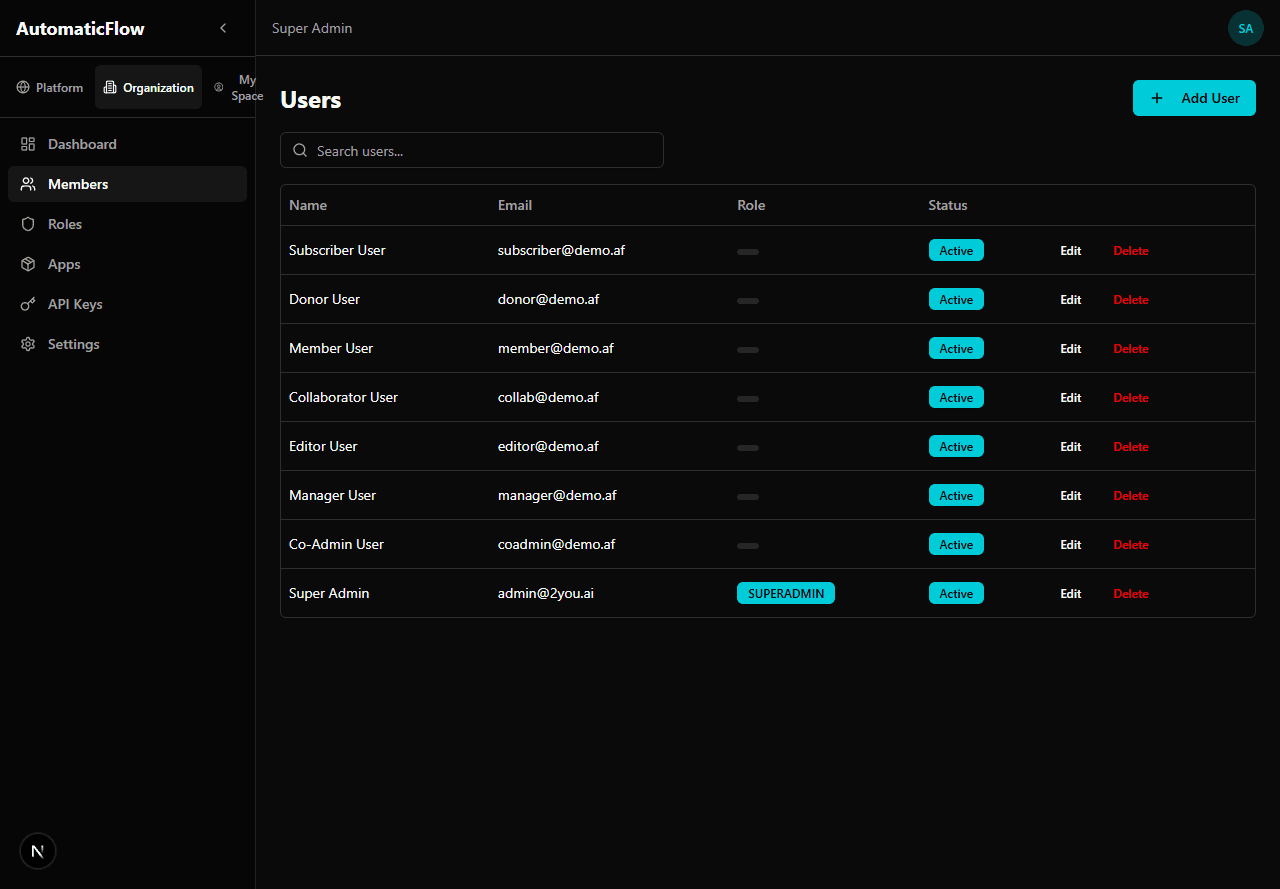
Users page — manage all platform users with search and filters
Manage multi-tenant organizations (workspaces).
- List organizations: table with name, slug, member count, status
- Create organization: Name, Slug (URL-friendly), Description, Logo URL
- View organization: details, members, apps
- Delete organization: removes org and all associated data
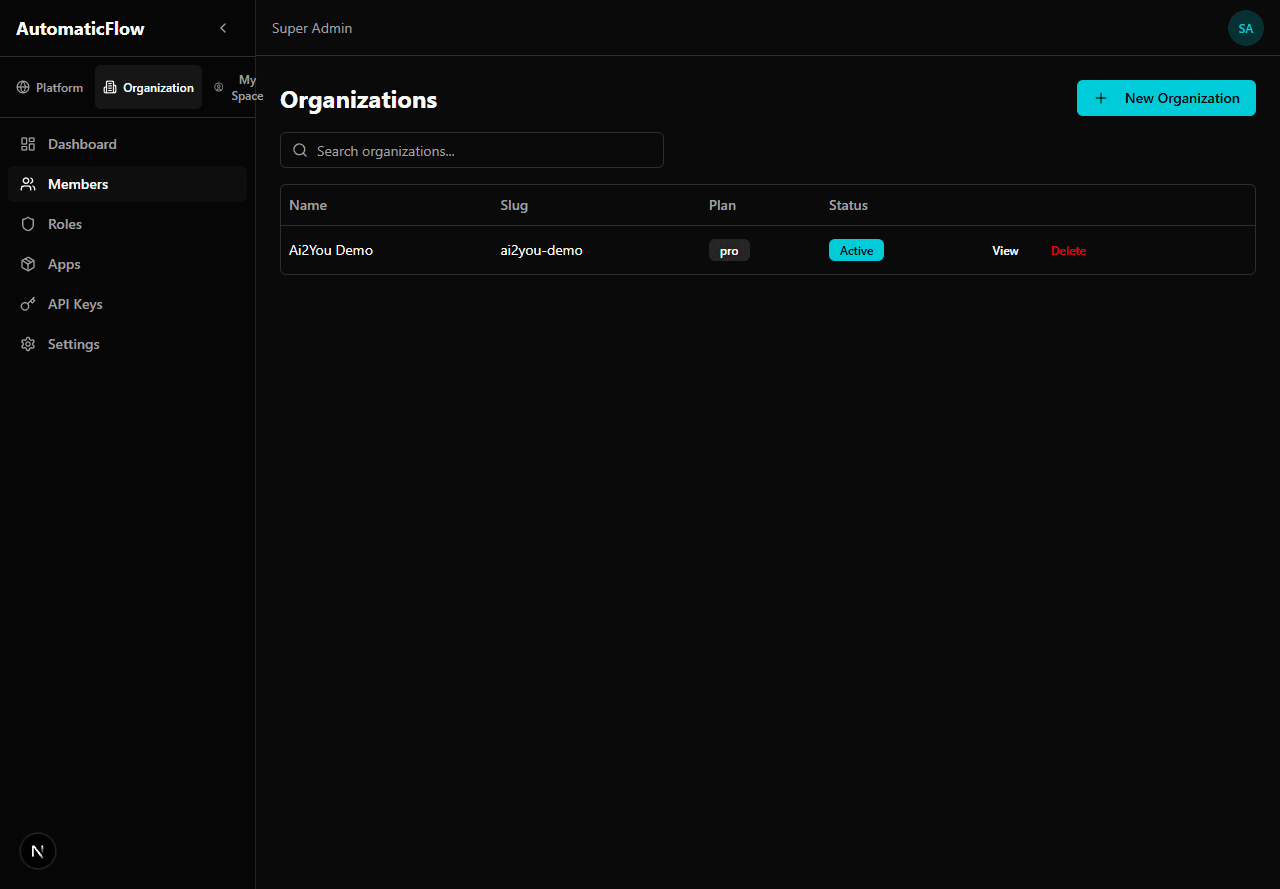
Organizations page — manage workspaces with plan and status
Configure RBAC roles and permission assignments.
- List roles: table with name, level, organization, permission count
- Create role: Name, Level (hierarchy position), Organization, Description
- Edit role: modify role and assign/revoke permissions via checkboxes grouped by module
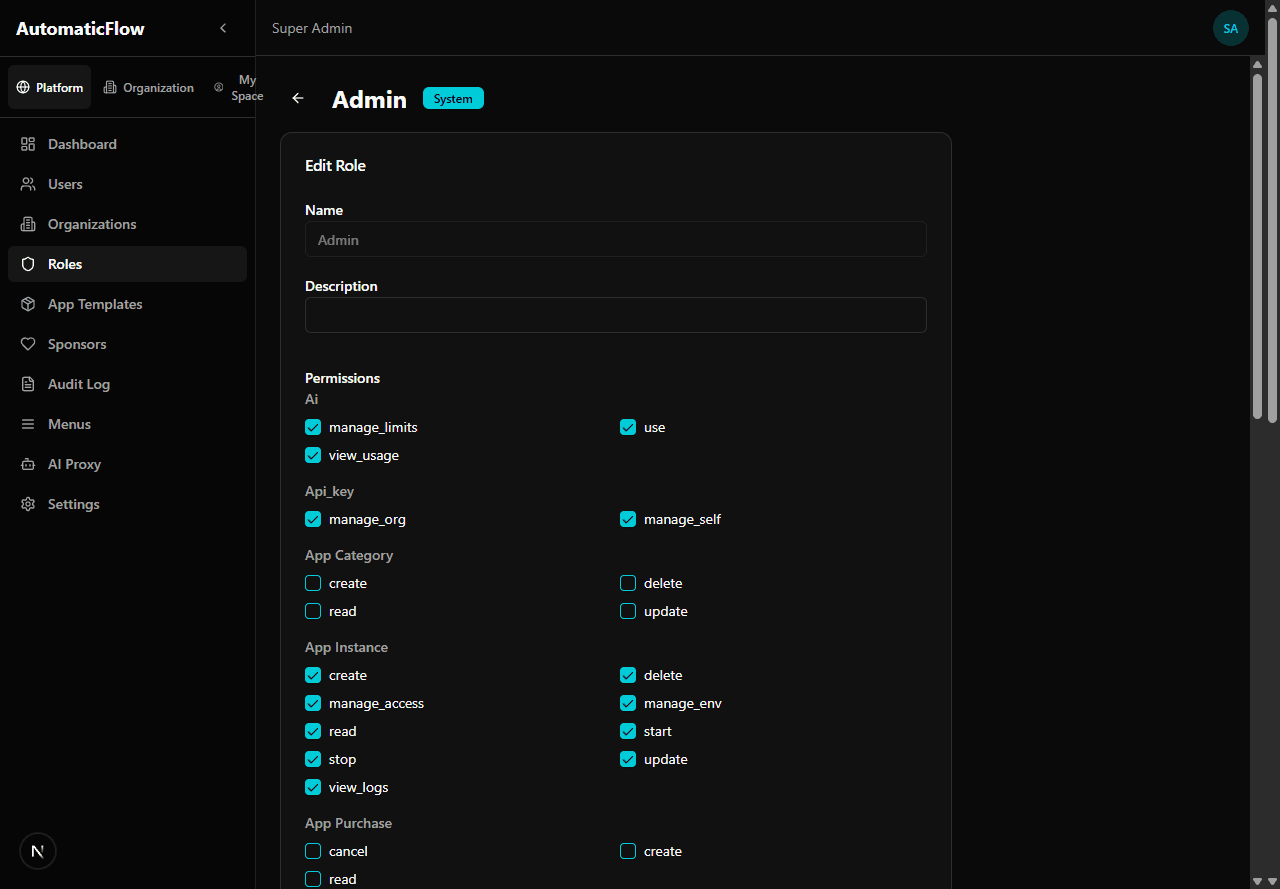
Role editor — assign permissions grouped by module
System Roles (not editable):
SuperAdmin (Level 0), Admin (Level 1), Co-Admin, Manager, Editor, Collaborator, Member, Donor, Subscriber
Manage application templates available in the marketplace.
- List templates: grid/table with name, category, status, version
- Create template: Name, Description, Category, Docker image, Pricing model
- Pricing: Monthly, Annual, One-time, Lifetime (trial period: 0-30 days)
- Approve/Deprecate: workflow for template lifecycle
Browse all available applications with search and category filters.
- Grid view with app cards (icon, name, description, price)
- Filter by category
- Click to view app details and deploy
Manage third-party developers who publish apps.
- List developers: table with name, email, apps published, status
- View developer: profile, published apps, revenue
- Approve/Reject: moderate developer applications
Manage organization sponsors and payment tracking.
- List sponsors: table with name, tier, amount, status
- View sponsor: payment history, tier details
- Create/Edit sponsor: manage sponsor information
View complete system activity log (GDPR compliance).
- Filterable table: user, action, resource, timestamp
- Actions: CREATE, UPDATE, DELETE, LOGIN, LOGOUT
- Export to CSV for compliance reporting
- Click row to see full change details (before/after values)
Configure and monitor AI service proxy.
- Provider management (OpenAI, Anthropic)
- Token vault: encrypted API keys per workspace
- Usage monitoring: tokens consumed, costs, monthly limits
- Rate limiting configuration
Platform-wide configuration.
- General settings (platform name, logo, contact)
- Email (SMTP) configuration
- Security settings (password policy, session timeout)
- Feature flags
How do I create a new organization?
Go to Organizations, click New Organization. Fill in the name and slug. Default roles will be created automatically.
How do I manage app templates?
Go to App Templates to create, edit, and approve application templates. Each template needs a Docker image, category, and pricing model.
How do I view audit logs for a specific organization?
Go to Audit Log and use the organization filter to narrow down logs to a specific workspace.
How do I configure AI providers?
Go to AI Proxy to manage providers. Add encrypted API keys via the Token Vault, configure usage limits, and monitor token consumption.
Command Palette Examples:
- "Create a new user" — navigates to user creation
- "Show audit logs" — opens audit page
- "List organizations" — opens organizations page